
VJ-Link · VJ software for lightjockeys, run by the light deskLive visuals,
run by your desk.
150 visuals, 50 effects, scenes and outputs – in time with the music. The light desk sends scene, colors and strobe, VJ-Link does the rest.

Features
Built for the lightjockey
No second computer full of VJ software that someone has to run: the desk leads, the music sets the tempo, and the visuals follow.
◈150 visuals
15 categories from minimal to fractal: 3D tunnels, demoscene, sacred geometry, particles, retro, op art, audio equalizers and 16 laser looks for a projector in haze. All react to the beat or the audio.
✦50 effects in a stack
Up to six per layer: feedback, datamosh, slit-scan, VHS, bloom, kaleidoscope, halftone, pixel sort, luma key, color strobe, beat flip and more. The first three are on the desk.
▤The desk leads
Art-Net and sACN with a fixed desk profile (91 channels, channel list as CSV) and free mapping for keyboard, MIDI, DMX and OSC like in Daslight: click an element, move the fader.
♩In time with the music
Tempo from LJ-Link, Ableton Link, OSC, MIDI clock or tap. Each layer picks its drive: audio, beat or static.
⧉Scenes with transitions
Cut, beats or seconds, fade or through black. Auto moves on after bars, seconds or on a phrase change from LJ-Link.
▶SHOW with a timeline
A running order of videos, images, camera, black, scenes and timecode with GO on the space bar. Scenes and strobe, blinder or blackout sit on a timeline like in an editing program.
▣Outputs and mapping – child's play
Arrange screens into one canvas by dragging, map canvases onto walls, boxes and columns by dragging their corners, grid warp, masks and test patterns. Window output to capture in OBS, NDI and Syphon tools.
◉Camera with person detection
Webcam, capture card or OBS as a clip: silhouette, outline, dot matrix, ASCII, thermal and masks that show the visuals only inside the person. Runs locally, no green screen.
✎Logos, videos, text
Logos with automatic background removal, videos with a loop in time, text clips with font, glow and box. All with the layer's effects and color.
∿Modulation
Every fader can move by itself: an LFO in time (sine, triangle, saw, square, random) or bass, mids and highs from the audio.
🔒Safe during the show
Lock mode: operate yes, delete or rebuild no. Project files with all media, saved as you go.
✓Simple for everyone
A start screen, a demo show that plays by itself, a gallery with live preview, one-click updates and problem reports from inside the program. English and German.
Who it's for
For everyone who runs light and video together
◉Clubs
LED wall behind the DJ, projector on the ceiling: the LJ recalls scenes on the desk, VJ-Link follows the tempo from LJ-Link.
▲Festivals and events
Several screens as one canvas, logos and sponsors as clips, timecode for the headliner show.
★Mobile DJs and weddings
One laptop, one projector: open the demo, add logo and text, switch on Auto. Camera silhouettes of the dance floor as a highlight.
◎Stages and projections
Projection mapping onto boxes, columns and walls, masks for doors and people, test patterns for alignment.
Screenshots
What it looks like
All pictures come from the real program with the demo show that comes with it.


Screens and mapping
Several screens and projection mapping – child's play
No pixel maths, no config files: drag the screens to where they are, and fit canvases by dragging their corners onto the edges of the wall, box or column. What you see is exactly what lands on the projectors.
Several screens as one canvas
- Under OUTPUT open every projector and LED wall as an output with one click.
- Choose “Canvas” and drag the screens to where they hang – side by side, stacked or anywhere. The edges snap.
- Done: visuals and videos run seamlessly across all. The test pattern “Grid across all” shows whether everything lines up.


Projection mapping by dragging
- “+ Canvas” lays a surface onto the projector picture.
- Drag the corners onto the edges of the wall, box or set – live on the projector.
- Round surfaces? “Grid 3×3” bends them smoothly. A door or person in the way? “+ Mask” blacks it out.
- Each canvas shows the whole picture, a part or its own picture with its own layers.
Light desk
Patch it like a fixture
VJ-Link listens to one universe of Art-Net or sACN. The channel list comes as CSV, so you set VJ-Link up on the desk like a fixture – on grandMA2, grandMA3, dot2, ChamSys, Avolites, Hog, ETC, Onyx, Daslight, Lightkey, QLC+ and any other desk.
- Global – master, strobe, scene, transition, tempo factor, effects, auto, blackout.
- Colors – five color slots A–E with dimmer and RGB.
- Layers 1–4 – opacity, clip (visual 1–150), color source, speed, three effects, strobe and blend mode.
- Pictures – channels 71–91 drive the pictures of the projection mapping.
- MIDI, OSC – every fader and button can be mapped, OSC under /vjlink/ctl/<id>.

Get started
The first picture in three steps
- InstallDownload and run the installer. Skip the warning once on the first start (see below).
- Open the demoOn the start screen choose “Open demo”. Ten scenes play by themselves.
- Output and deskOpen the projector under OUTPUT, check the desk under CONNECT or map a controller with MAPPING.
Quick start in the wiki · Use cases: club, event, mobile · Projectors and LED walls
Download
Free for macOS and Windows
Beta 0.1.3: please try it calmly before an important show.
Install
First start: getting past the warning
VJ-Link is not signed with Apple or Microsoft (yet). Signing costs money; without it, macOS or Windows cannot verify the developer and warns once on the first start. So only download the program from the official page. After that it starts normally.
⌘macOS
Message: “VJ-Link” Not Opened – Apple could not verify “VJ-Link” is free of malware.
- Open the .dmg and drag VJ-Link into the Applications folder.
- Start VJ-Link once. The warning appears: click “Done” (not “Move to Trash”).
- Open System Settings → “Privacy & Security” → scroll all the way down.
- Next to “VJ-Link was blocked …” click “Open Anyway” and confirm with your password or Touch ID.
- In the next window choose “Open” once more.
- Allow the camera, the microphone and the local network when macOS asks and you need them.
For experts: with Terminal
After copying to Applications, run this command in Terminal, then the app starts without the warning:
xattr -dr com.apple.quarantine "/Applications/VJ-Link.app"
This switches off macOS’s download check for this app. Only use it for a copy from the official page.
⊞Windows
Message: “Windows protected your PC” (Microsoft Defender SmartScreen).
- Run VJ-Link-windows.exe.
- In the blue window click “More info”.
- “Run anyway” appears at the bottom: click it.
- Click through the installer. VJ-Link appears in the Start menu and on the desktop.
- On the first start the Windows Firewall asks: tick “Private networks” and choose “Allow access”. Otherwise Art-Net, sACN, OSC and LJ-Link cannot get through.
Some virus scanners flag unknown, unsigned programs as a precaution. The installer is only offered here and on GitHub.
Status
An honest status of the beta
Tested means: tried on the real device. Everything else is listed as what it is.
| Part | State |
|---|---|
| macOS, Apple Silicon | tested |
| LJ-Link 1.7.7 | tested: found automatically, tempo, Now Playing |
| Webcam, OBS Virtual Camera, person detection | tested with one person |
| MIDI controllers, OSC | tested in the app |
| grandMA2, grandMA3, Daslight (Art-Net, sACN) | built, not yet tried on a real desk |
| Templates APC mini, nanoKONTROL2 | from the manuals, not tested on the devices |
| Windows 10 / 11, macOS Intel | built, not tested |
| Ableton Link (Carabiner) | built, not yet tried |
| Native Syphon, Spout, NDI | planned |
Guides
Step by step
Free VJ software
What the free VJ software for Mac and Windows can do and what to look for.
Read the guide →Visuals from a grandMA
grandMA2 and grandMA3 over Art-Net or sACN: patch VJ-Link, scenes and colors from the desk.
Read the guide →Free projection mapping
Map visuals onto walls, boxes and columns with corner pin, grid warp and masks.
Read the guide →Try also
LJ-Link: show your LJ what the sound does
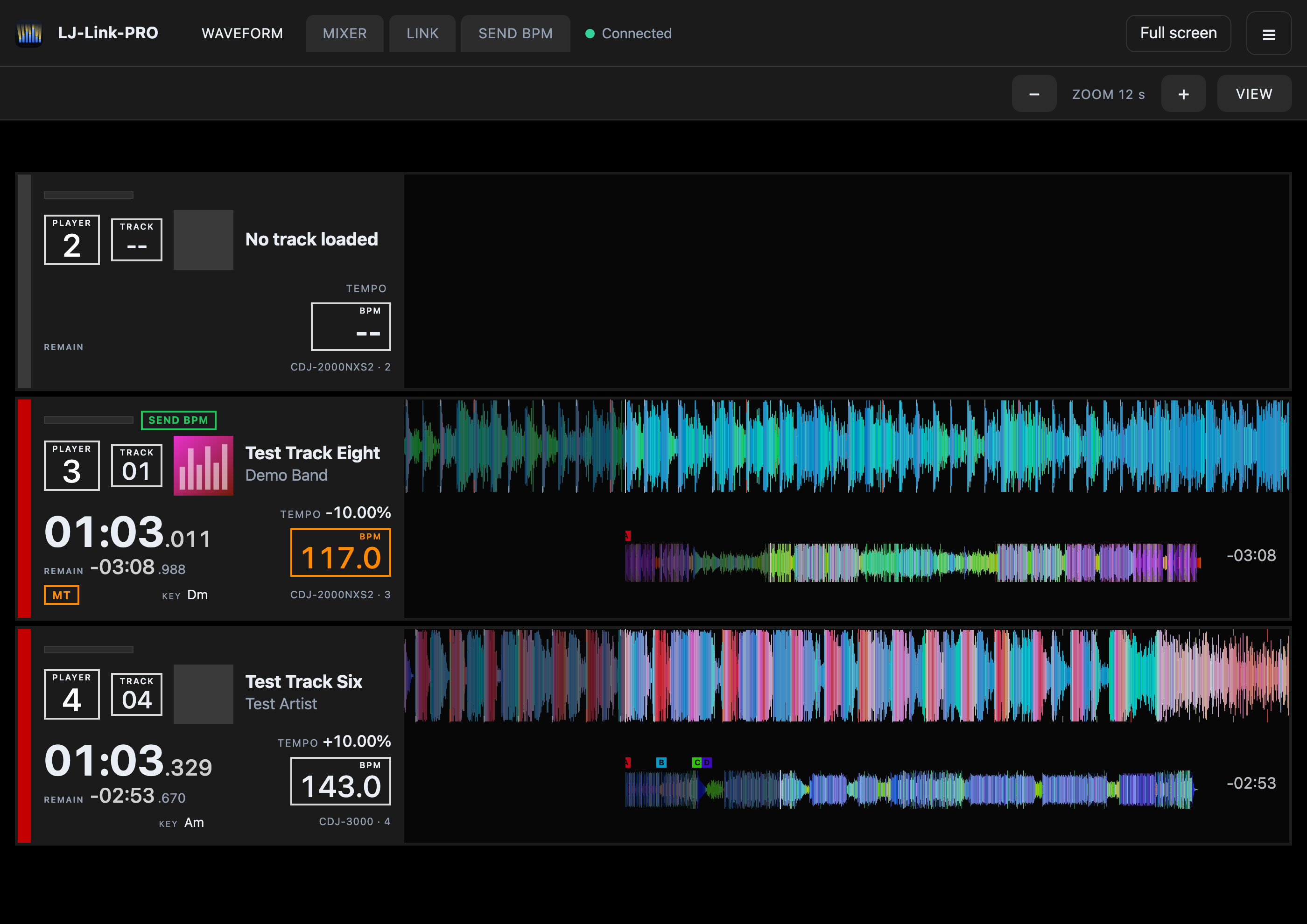
The sister project LJ-Link shows the lighting jockey every deck, waveform and cue from Pioneer and Denon and sends the BPM to grandMA, Daslight and more. Together with VJ-Link the visuals follow the DJ's beat, change scene on the phrase and show what is playing.
Get involved
Help make VJ-Link better
VJ-Link is new and grows with its community. Join our Discord – the same one as for LJ-Link. Ideas, tests, feedback or just questions: everything is welcome.
- Testing: reports from real grandMA, Daslight and MIDI setups are especially wanted.
- Report problems: right in the program under Help → Report a problem, with diagnostic data.
- Ideas: which visuals, effects or desks are missing for you?
FAQ
Questions
Do I need a light desk?
No. VJ-Link also runs on its own with mouse, keyboard or a MIDI controller. With “Auto” the scenes change by themselves in time.
How do I get the tempo?
Best from LJ-Link, which reads the BPM straight from Pioneer and Denon players. Otherwise over Ableton Link, OSC, MIDI clock or tap.
How many screens can I use?
As many as the computer can connect. Each output has its own resolution; as a canvas, visuals and videos run seamlessly across all of them.
Can I use the picture in OBS or Resolume?
Yes, with the window output: a normal window with a fixed resolution that you capture as a window (OBS, NDI and Syphon tools). Native Syphon, Spout and NDI are planned.
Does VJ-Link need internet?
No. Only the update check and sending a problem report go to the internet. Camera and person detection run on your computer.
Which video formats work?
MP4 with H.264 and WebM play everywhere, MOV and M4V usually too.
My Mac says “VJ-Link” Not Opened – what does that mean?
The app is not signed with Apple (yet), so macOS cannot verify the developer. Only download VJ-Link from the official GitHub page (github.com/skyplayser/VJ-LINK) or via this website. How to open it then is explained above under “Install”.
Are strobe and flashes safe?
Fast flashes, strobe and strong colour changes can trigger seizures in people with photosensitive epilepsy. Keep the flash rate low (at most three flashes per second), announce strobe effects where the venue requires it and follow the venue’s rules. Do not aim bright projector beams through haze at the audience at eye level. Software can fail: keep a fallback ready for the show. VJ-Link shows this notice before the first output and limits flashes to three per second by default (Settings → Safety).
Is the show network protected?
Art-Net, sACN, OSC and the LJ-Link input have no login – that is the industry standard. Keep the show network apart from guest Wi-Fi and allow VJ-Link in the firewall only for the private show network.
Does VJ-Link cost anything?
No. VJ-Link is free and open source under the Eclipse Public License 2.0 – like LJ-Link.